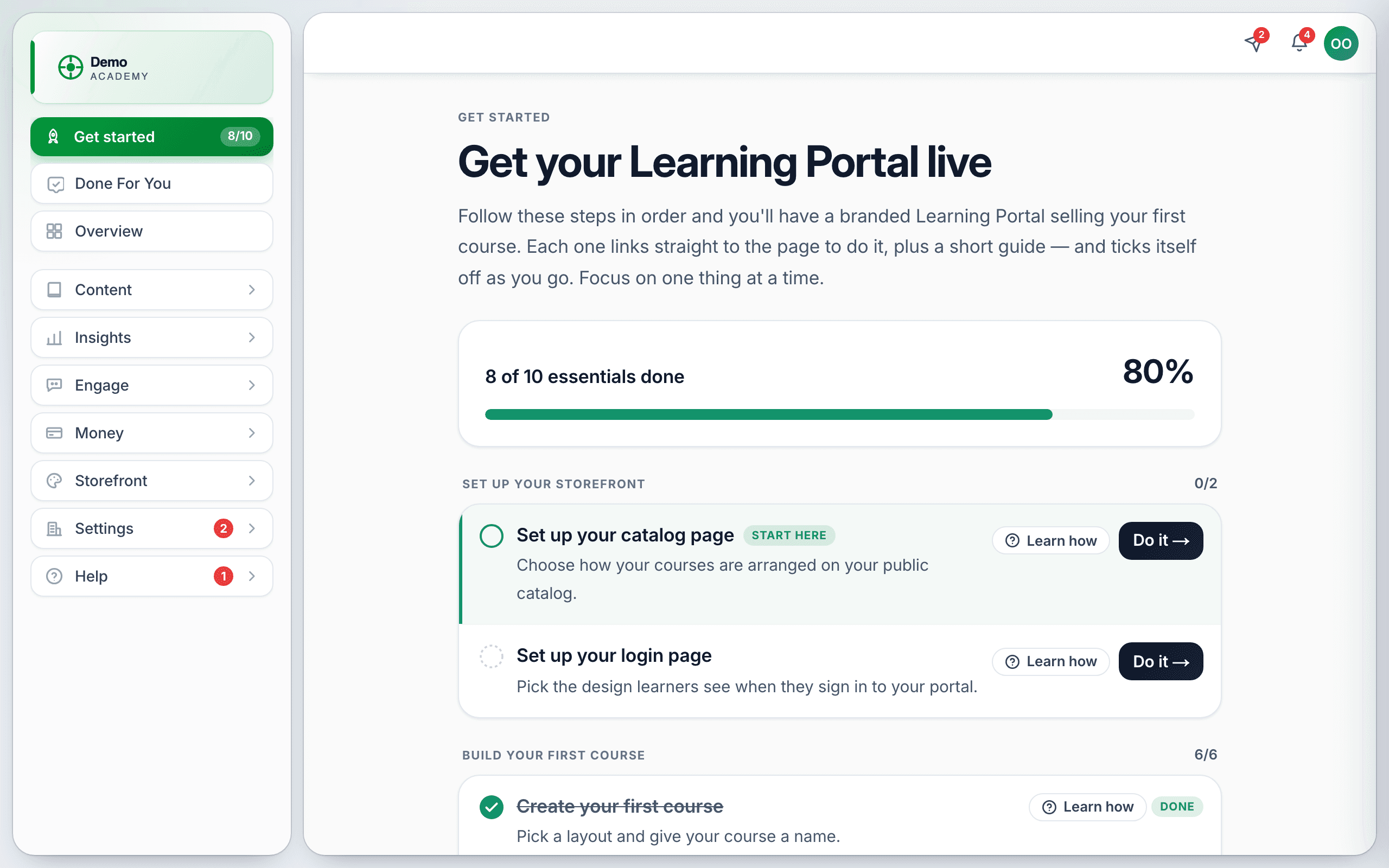
Get started is the first row in your sidebar while your academy is still being set up. It carries a counter like 8/10, and it ticks itself off as you work — you never mark anything done by hand.
The page is headed Get your Learning Portal live, and it groups 21 steps into six stages. Ten of them are essentials, and those ten are what the counter and the percentage measure.
The six stages
- Set up your storefront — your catalog page and login page.
- Build your first course — the biggest stage, from creating the course to publishing it.
- Set up payments — connect Stripe or PayPal and price your course.
- Make it yours — logo and colors, your domain, your emails.
- Go live & get learners — publishing and inviting people.
- Do more with your portal — the optional extras: Community, Coaching, Bookings, Discounts and the rest.
The pills on each step
- Start here — the step we think you should do next.
- Pro — needs a Pro plan.
- Optional — not counted in your essentials total, and skippable.
- Done — finished.
Each step has a Do it → button that opens the right page, and a Learn how pill that opens the matching Help Center article in a new tab. Optional steps also have a Skip link.
Where else it shows up
Your Overview page carries a summary card — Finish setting up your Learning Portal — with the progress bar, the next couple of steps and a Continue setup → button. You can dismiss that card with the × without losing the sidebar row.
For the fuller picture of the whole path — including the decisions the checklist does not ask you about — read Your LMS Launch Checklist.